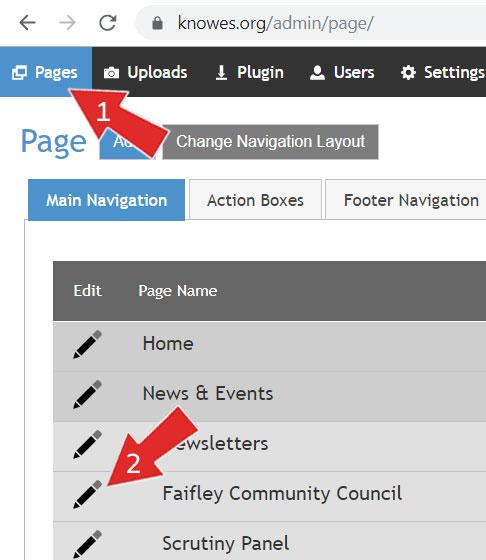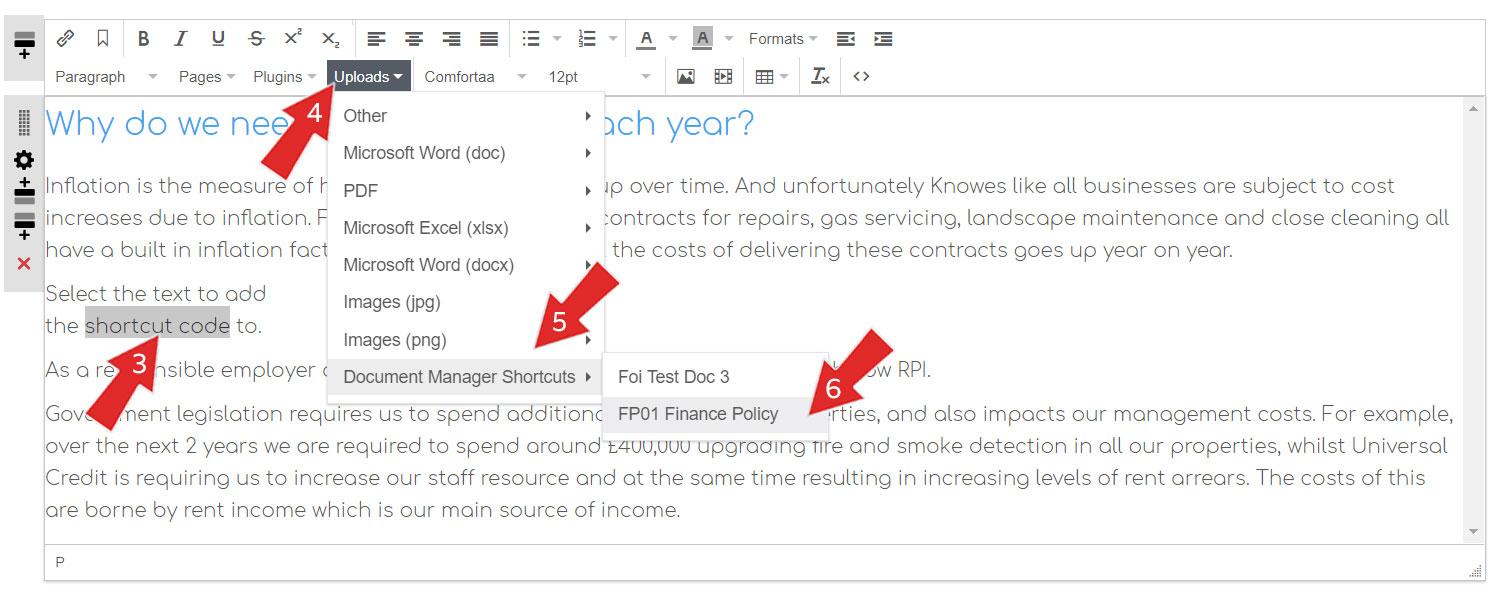
How to add a link into text on the website using the “Shortcut” code
NB. This step assumes you have added documents via the Document Manager and added a "shortcut" code for the documents. View the steps involved in adding a document to the Document Manager
Login to https://knowes.org/admin/